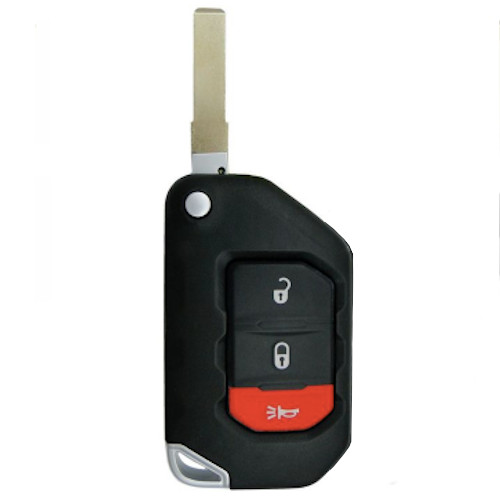
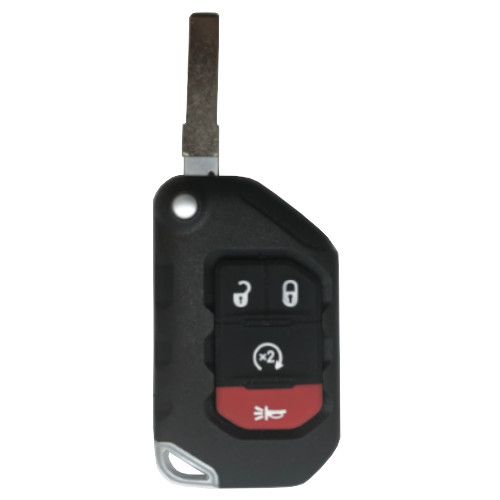
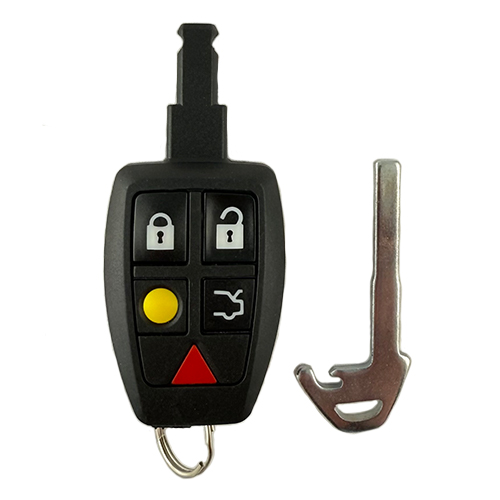
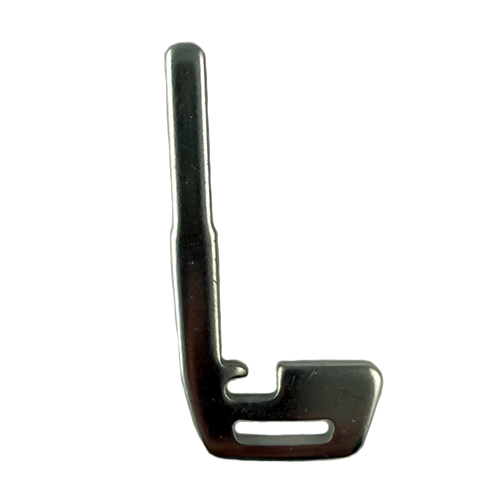
GM113
51 In Stock
Price (3.5% OFF)
$98.00
$94.57
Buy 10 or more
Save an additional 5%
$89.84
per unit
SKU / Part Number
GM113
FCC ID / OEM
13508275
Stock Level
51 units
Programming Instructions
Follow these steps to program this key to the vehicle.
<div class="schema-how-to wp-block-yoast-how-to-block">
<ol class="schema-how-to-steps">
<li id="how-to-step-1600100254246" class="schema-how-to-step"><strong class="schema-how-to-step-name">Place Programmed Smart Keys</strong>
<p class="schema-how-to-step-text">PLACE the 2 programmed smart keys in the cupholder.</p>
</li>
<li id="how-to-step-1599414254098" class="schema-how-to-step"><strong class="schema-how-to-step-name">Access Key Lock Cylinder</strong>
<p class="schema-how-to-step-text">REMOVE the key lock cylinder cap (located on the outside of the Driver’s door to the right of the door handle).</p>
<strong>Removing the Key Lock Cylinder Cover:
</strong>a. Insert the door key into the slot on the bottom of the cover.
b. Lift the key upward to remove the cover.
<img class="lazy-load-active" src="https://northcoastkeyless.com/wp-content/uploads/2020/09/key-lock-cylinder.jpg" alt="" data-src="https://northcoastkeyless.com/wp-content/uploads/2020/09/key-lock-cylinder.jpg" /></li>
<li id="how-to-step-1590761122439" class="schema-how-to-step"><strong class="schema-how-to-step-name">Enter Programming Mode</strong>
<p class="schema-how-to-step-text">INSERT the CUT emergency key of the NEW smart key fob into the key lock cylinder AND TURN the key counterclockwise to the UNLOCK position 5 times within 10 seconds. The Driver Information Console (DIC) will display “READY FOR REMOTE #3, 4, or 5.”</p>
</li>
<li id="how-to-step-1599840681606" class="schema-how-to-step"><strong class="schema-how-to-step-name">Program Remote – Step 1</strong>
<p class="schema-how-to-step-text">REMOVE the top tray and the rubber mat inside of the center console storage area. PLACE the new smart key into the Transmitter Pocket (refer to Owner’s Manual for location).</p>
</li>
<li id="how-to-step-1599840721654" class="schema-how-to-step"><strong class="schema-how-to-step-name">Program Remote – Step 2</strong>
<p class="schema-how-to-step-text">PRESS the ENGINE START/STOP button. When the smart key is learned, the DIC will display “READY for REMOTE #N.”</p>
</li>
<li id="how-to-step-1600093797493" class="schema-how-to-step"><strong class="schema-how-to-step-name">Program Remote – Step 3</strong>
<p class="schema-how-to-step-text">REMOVE the smart key fob from the Transmitter Pocket and PRESS the LOCK or UNLOCK button to finalize programming of the remote.</p>
</li>
<li id="how-to-step-1599248713092" class="schema-how-to-step"><strong class="schema-how-to-step-name">Program Additional Remotes</strong>
<p class="schema-how-to-step-text">REPEAT Steps 4-6 to program any additional smart key transmitters.</p>
</li>
<li id="how-to-step-1600093813990" class="schema-how-to-step"><strong class="schema-how-to-step-name">Exit Programming Mode</strong>
<p class="schema-how-to-step-text">WHEN all additional smart key transmitters have been programmed, PRESS and HOLD the ENGINE START/STOP button for 12 seconds to EXIT Programming Mode.</p>
</li>
<li id="how-to-step-1590761553526" class="schema-how-to-step"><strong class="schema-how-to-step-name">Test Remotes</strong>
<p class="schema-how-to-step-text">TEST all remotes. Programming is complete.</p>
</li>
<li id="how-to-step-1590761558132" class="schema-how-to-step"><strong class="schema-how-to-step-name">Share</strong>
<p class="schema-how-to-step-text">If these programming instructions helped save you time and money, please consider sharing our website with friends and family so they can do the same.</p>
</li>
</ol>
</div>
<div class="schema-how-to wp-block-yoast-how-to-block">
<p class="schema-how-to-total-time"><span class="schema-how-to-duration-time-text">Time needed: </span>30 minutes.</p>
<p class="schema-how-to-description"><span class="has-inline-color"><strong><code>SMART PROXIMITY KEY FOB REMOTE - WITHOUT PROGRAMMED REMOTE</code></strong>
</span><strong><code>Step-By-Step How To Programming Instructions</code></strong></p>
<ol class="schema-how-to-steps">
<li id="how-to-step-1599414254098" class="schema-how-to-step"><strong class="schema-how-to-step-name">Access Key Lock Cylinder</strong>
<p class="schema-how-to-step-text">REMOVE the key lock cylinder cap (located on the outside of the Driver’s door to the right of the door handle).</p>
<strong>Removing the Key Lock Cylinder Cover:
</strong>a. Insert the door key into the slot on the bottom of the cover.
b. Lift the key upward to remove the cover.
<img class="lazy-load-active" src="https://northcoastkeyless.com/wp-content/uploads/2020/09/key-lock-cylinder.jpg" alt="" data-src="https://northcoastkeyless.com/wp-content/uploads/2020/09/key-lock-cylinder.jpg" /></li>
<li id="how-to-step-1590761122439" class="schema-how-to-step"><strong class="schema-how-to-step-name">Enter Programming Mode – Step 1</strong>
<p class="schema-how-to-step-text">INSERT the CUT emergency key of the NEW smart key fob into the key lock cylinder AND TURN the key counterclockwise to the UNLOCK position 5 times within 10 seconds. The Driver Information Console (DIC) will display “REMOTE LEARN PENDING, PLEASE WAIT.”</p>
</li>
<li id="how-to-step-1590761515785" class="schema-how-to-step"><strong class="schema-how-to-step-name">Enter Programming Mode – Step 2</strong>
<p class="schema-how-to-step-text">WAIT 10 minutes until the DIC displays “PRESS START BUTTON TO LEARN.”</p>
</li>
<li id="how-to-step-1600094075650" class="schema-how-to-step"><strong class="schema-how-to-step-name">Enter Programming Mode – Step 3</strong>
<p class="schema-how-to-step-text">PRESS the ENGINE START/STOP button. The DIC will again say “REMOTE LEARN PENDING, PLEASE WAIT.”</p>
</li>
<li id="how-to-step-1600094076566" class="schema-how-to-step"><strong class="schema-how-to-step-name">Enter Programming Mode – Step 4</strong>
<p class="schema-how-to-step-text">WAIT 10 minutes until the DIC displays “PRESS ENGINE START BUTTON TO LEARN.”</p>
</li>
<li id="how-to-step-1600094133329" class="schema-how-to-step"><strong class="schema-how-to-step-name">Enter Programming Mode – Step 5</strong>
<p class="schema-how-to-step-text">PRESS the ENGINE START/STOP button. The DIC will again say “REMOTE LEARN PENDING, PLEASE WAIT.”</p>
</li>
<li id="how-to-step-1600094077321" class="schema-how-to-step"><strong class="schema-how-to-step-name">Enter Programming Mode – Step 6</strong>
<p class="schema-how-to-step-text">WAIT 10 minutes until the DIC displays “PRESS ENGINE START BUTTON TO LEARN.”</p>
</li>
<li id="how-to-step-1599591716942" class="schema-how-to-step"><strong class="schema-how-to-step-name">Enter Programming Mode – Step 7</strong>
<p class="schema-how-to-step-text">PRESS the ENGINE START/STOP button. The DIC will again say “READY FOR REMOTE #1.”</p>
</li>
<li id="how-to-step-1599840681606" class="schema-how-to-step"><strong class="schema-how-to-step-name">Program Remote – Step 1</strong>
<p class="schema-how-to-step-text">REMOVE the top tray and the rubber mat inside of the center console storage area. PLACE the new smart key into the Transmitter Pocket (refer to Owner’s Manual for location).</p>
</li>
<li id="how-to-step-1599840721654" class="schema-how-to-step"><strong class="schema-how-to-step-name">Program Remote – Step 2</strong>
<p class="schema-how-to-step-text">PRESS the ENGINE START/STOP button. When the smart key is learned, the DIC will display “READY for REMOTE #N.”</p>
</li>
<li id="how-to-step-1600109959830" class="schema-how-to-step"><strong class="schema-how-to-step-name">Program Remote – Step 3</strong>
<p class="schema-how-to-step-text">REMOVE the smart key fob from the Transmitter Pocket and PRESS the LOCK or UNLOCK button to finalize programming of the remote.</p>
</li>
<li id="how-to-step-1600101829807" class="schema-how-to-step"><strong class="schema-how-to-step-name">Program Additional Remotes</strong>
<p class="schema-how-to-step-text">REPEAT Steps 9-11 to program any additional smart key transmitters.</p>
</li>
<li id="how-to-step-1600093813990" class="schema-how-to-step"><strong class="schema-how-to-step-name">Exit Programming Mode</strong>
<p class="schema-how-to-step-text">WHEN all additional smart key transmitters have been programmed, PRESS and HOLD the ENGINE START/STOP button for 12 seconds to EXIT Programming Mode.</p>
</li>
<li id="how-to-step-1590761553526" class="schema-how-to-step"><strong class="schema-how-to-step-name">Test Remotes</strong>
<p class="schema-how-to-step-text">TEST all remotes. Programming is complete.</p>
</li>
<li id="how-to-step-1590761558132" class="schema-how-to-step"><strong class="schema-how-to-step-name">Share</strong>
<p class="schema-how-to-step-text">If these programming instructions helped save you time and money, please consider sharing our website with friends and family so they can do the same.</p>
</li>
</ol>
</div>
<strong>Programming Notes:</strong>
<ul>
<li>Verify the following prior to following these instructions:
<ul>
<li>Your vehicle is equipped with keyless entry, and</li>
<li>You have a key fob remote that is compatible with your vehicle.</li>
</ul>
</li>
<li>Obtain ALL remote transmitters for this vehicle.</li>
<li>Have the emergency key on the new remote cut in preparation for the programming procedure.</li>
</ul>
Build Instructions
Internal manufacturing and assembly notes.
Tx: HiTag2 PCF7941E
pages need to be unlocked